Receiving Delivered Overview
Requires XMPT PRO or XMPT ENTERPRISE plan
all certs delivered within the system can be viewed by pressing "Certs Delivered" on the top navigation.
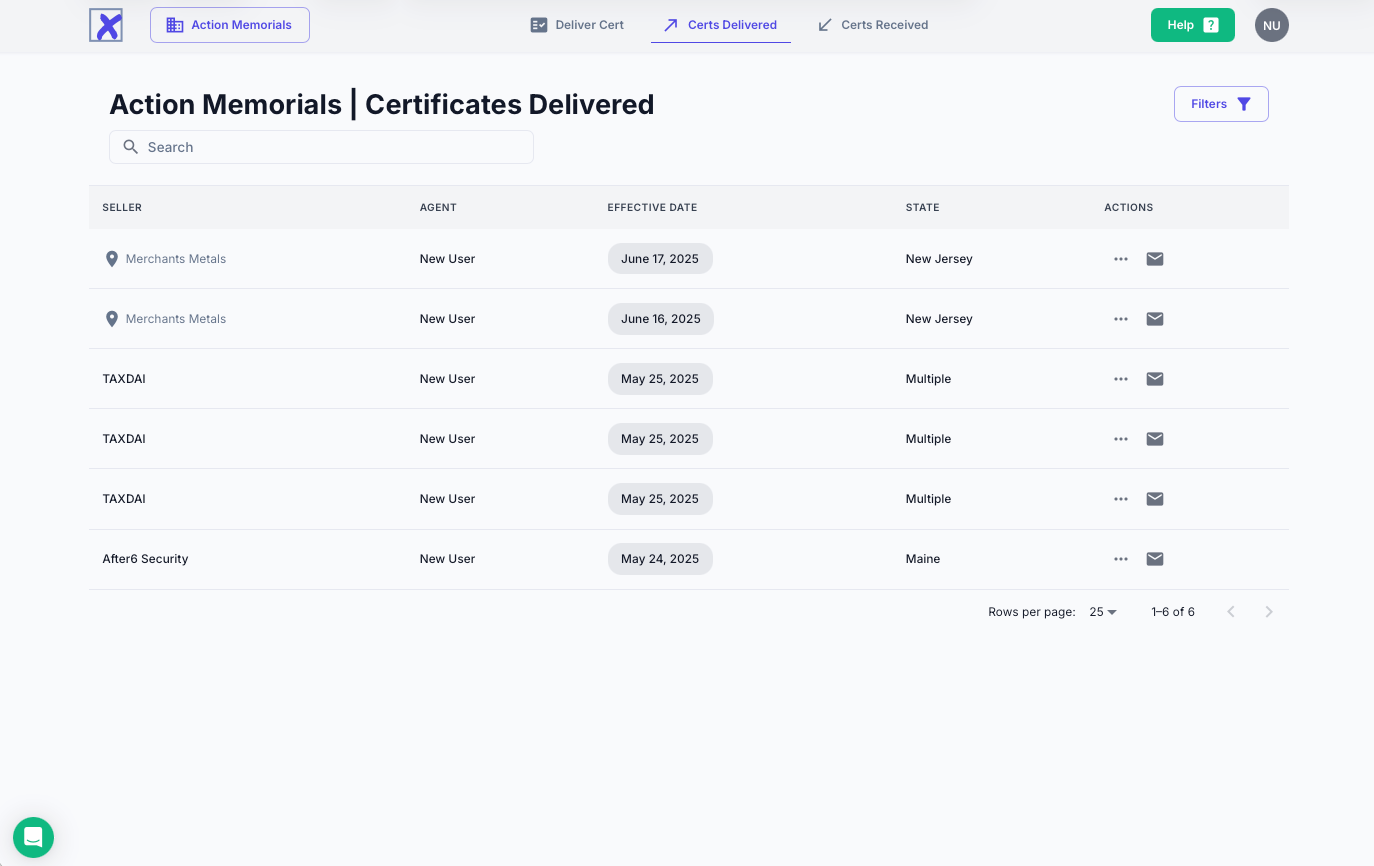
To review the specifics of any individual cert, press the three buttons
(***) under the action header. The specifics for the cert, as well as
the ability to share the document via email and open it on the desktop
are included.
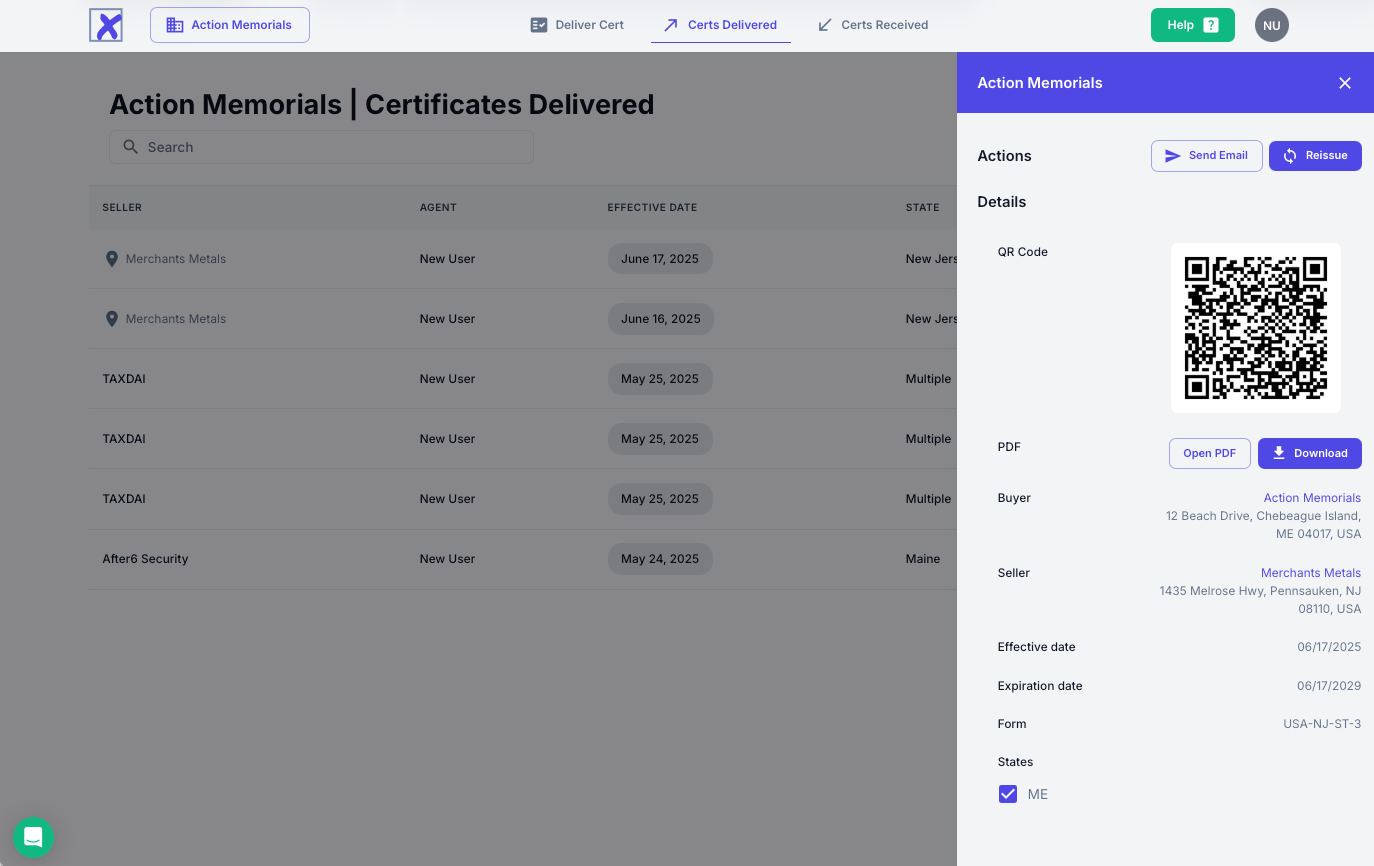
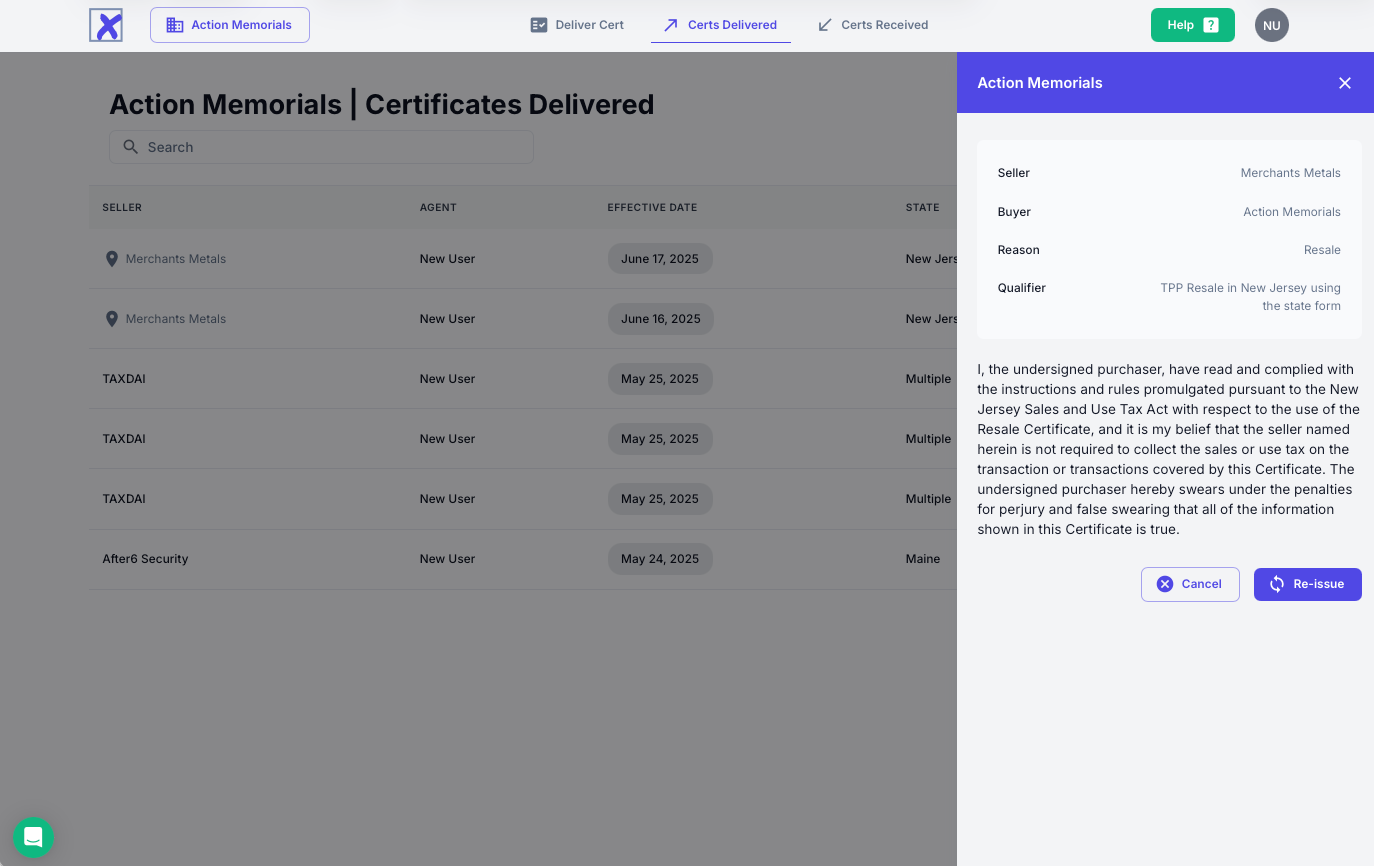
To reissue an updated version of the same certificate to the seller, press the reissue button, and reissue a confirmation that all of the information on the certificate is accurate.
If your organization has received numerous certificates, additional help in finding certs is available by using the filters (available on the top right). Pressing the button will open a filter pane, on which you can search by name, date, state, or form to locate the certs you need.
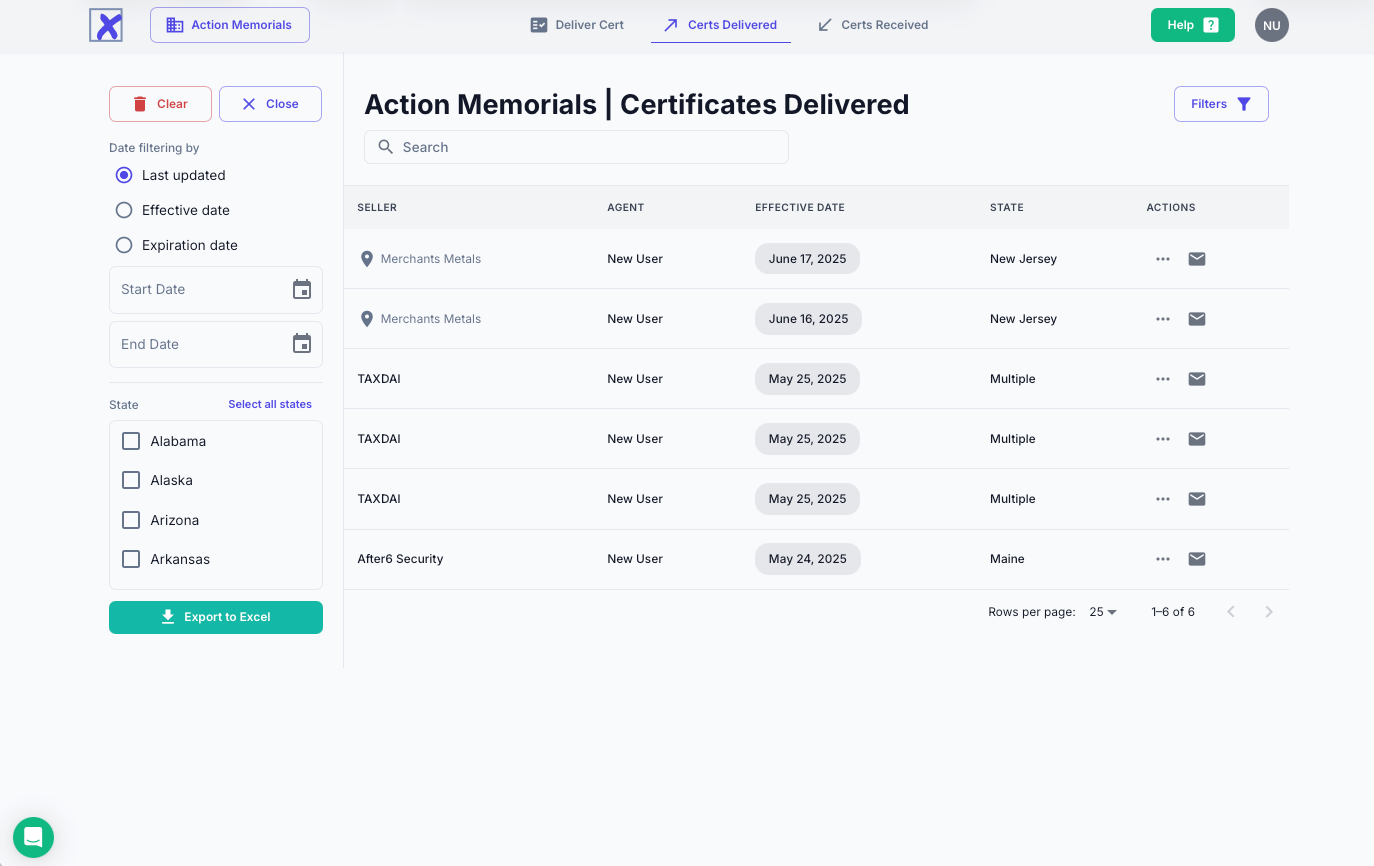
Additional details on filtering can be found on the next page.